
Installing UDK
The Bare Minimum Software Suite
- Unreal Development Kit 2015 (or 2013 if you want to cause trouble)
- A full-featured 3D modeling program like Blender
- A capable image editor like Paint.net or GIMP to accompany Blender. If you have Photoshop or something else you prefer, stick with that.
All-in-One Packages recommended
If you don’t want to stress about this setup process, there are some publicly-available packages which streamline it immensely.
This script is meant to hold your hand through the entire setup process, take care of tedious and error-prone steps for you, then generate a Project folder that starts you off on the right path. Refer to the section below to install UDK properly.
Running the Installer
After you download the UDK 2015 Installer from my Drive (or any other friendly modder’s secret stash), double click it to start the install process. Accept the TOS.
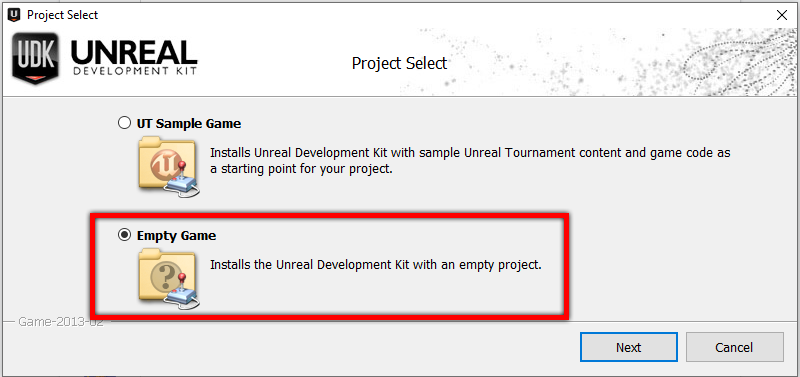 UT Sample Game will cause great sadness
Install with an Empty Game. The Sample Game has lots of cool things, but they’re completely irrelevant to Rocket League and will only cause trouble. Sorry.
Or whatever you wanna name it
In the Project Name field, enter a good name for your project. I call mine RLMM (Rocket League MapMaking) but yours will be referred to as {ProjectName} in this guide. Additionally, this folder will be called {UDK Folder} for the rest of this guide.
DANGER
You cannot choose a project name with a space or other special characters! This could give you trouble later, such as when running installers.
Twiddle your thumbs for a few minutes as it installs prerequisites and then installs UDK.
Ignore the extra options, and complete the install.
Manual Installation
If you are manually setting up UDK, or just want to see what is happening behind the scenes with those packages, please continue. Don’t launch it, because we have some things to change.
Before continuing, read more about the files that need to be changed. This list is not updated recently and the Dummy classes repository can have more changes in Core and Engine classes!